NodeHive 2.1 makes everyday work in NodeHive clearer, faster, and more pleasant. This release focuses on a cleaner interface, better orientation, and fewer manual steps for editors, content teams, and administrators.
Highlights
- Better overview of Spaces
Spaces are now displayed in a modern card layout with preview images, URLs, and key information. Search and filters make it easier to find the right space quickly. - Faster content creation
When content is created from a Space, the correct Space is now selected automatically. The redesigned content creation page is clearer and easier to use. - Simpler menu management
Menus can now be created directly from the Space menus page. The related Space is pre-selected automatically, saving time and reducing mistakes. - Cleaner navigation inside Spaces
The sidebar now appears only where it is useful. Space pages have clearer navigation for Experience, Content, and Settings. - More realistic Visual Editor previews
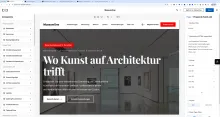
The preview frame now adapts to desktop, tablet, and mobile sizes. This gives editors a better impression of how content will look on different devices. - Improved Digital Asset Management
The DAM now has a clearer “Add media” action, improved menu recognition, and better redirection after uploading media. Audio previews are also easier to see and use. - New Apps overview
A new Apps page shows installed NodeHive apps with icons, names, and descriptions. This makes available extensions and features easier to discover. - More useful dashboard
The dashboard has been reorganised and polished. Important areas such as Content, Spaces, DAM, Apps, Users, and API Keys are easier to access. - Improved content management lists
Content listings are easier to scan. Actions are more visible, Space information is clearer, and content detail pages feel cleaner. - Improved platform compatibility
NodeHive 2.1 includes compatibility updates for newer PHP versions, helping keep the platform stable and future-ready.
Summary
NodeHive 2.1 is mainly about improving the daily user experience. Editors and administrators benefit from clearer screens, faster workflows, better navigation, and a more polished interface across the product.